AImpress Photo Studio

Old photographs, thoughtfully renewed.

Restore faded, scratched, or incomplete photographs in a focused workspace — no specialist editing experience required.
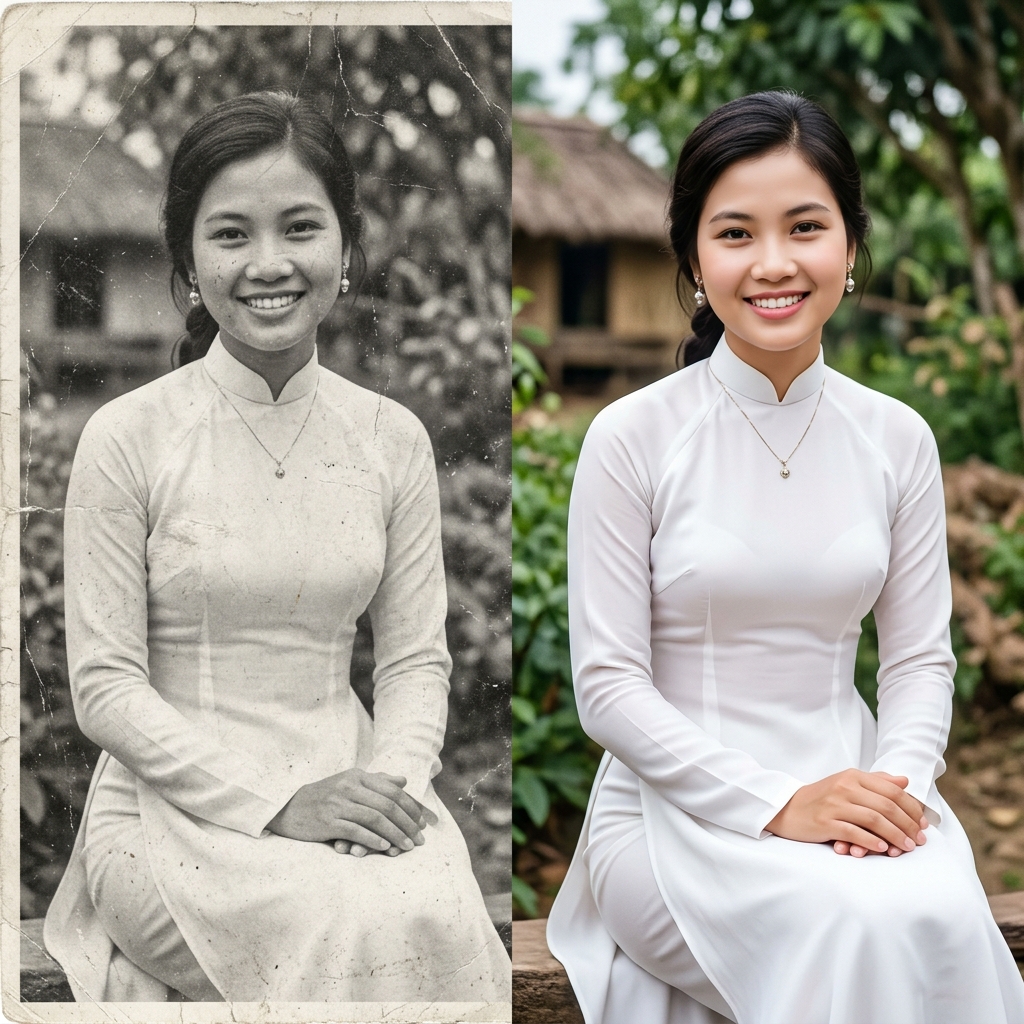
  • Keep the original for comparison
  • You decide on the final result
OriginalRestored version
Illustrative result. AI may reconstruct details differently from historical reality.

Studio workspace

Begin with the photograph that matters to you.

Choose a tool, add your image, and review the output carefully before saving.

Restore now

You must sign in to restore images.

Drag and drop a file here, or paste an image URL above. Supported: jpg, jpeg, png, webp, gif, avif

PNG, JPEG, WEBP hoặc GIF

0/3

Result

Waiting

Fill out the form and click Generate to see the result.

A considered process

Three steps to start well.

AImpress assists the restoration process; it does not replace the source photograph. Good work begins with a clear source and ends with careful review.

01

Choose the best source

Use the clearest scan or photograph available. Keep the original nearby for comparison.

02

Add context when useful

Describe clothing, period, or intended colors to guide the reconstructed version.

03

Review before saving

Compare before and after. AI can reinterpret details, so the final decision always stays with you.

Responsible restoration

A beautiful restoration still needs human judgment.

Generative models can fill missing areas with visually plausible details that may not be historically accurate. AImpress presents the output as a reconstruction for you to review.

Keep the original

Do not treat an AI version as a replacement record. Retain the source and its provenance separately.

Inspect the details

Review faces, writing, clothing, and background details before sharing or printing.

Use permitted images

Only upload photographs you have the right to process, and pause before using sensitive images.

Restore old photographs with AImpress Studio

AI-assisted restoration workflow

AImpress Studio is a workspace developed by Dan Vu to assist with faded, scratched, incomplete, or low-resolution photographs. It can create a renewed image version, colorize black-and-white material, and extend a frame. Because AI reconstructs areas where source data is missing, the result may differ from historical reality and should always be compared with the original photograph.

How to Restore Damaged Photos Online

To restore your old photos online with AImpress Studio, simply follow these three easy steps:

  • Upload your image: Navigate to the 'Restore' tab and upload your old, damaged, or black-and-white photograph.
  • Add descriptions (Optional): Provide known details such as clothing color or era, or use the Auto-describe button as a draft. Review inferred details before processing.
  • Restore and download: Click 'Restore', wait for processing to finish, then review faces, writing, clothing, and background details before downloading.

Frequently Asked Questions

What types of damaged photos can AImpress Studio restore?
AImpress Studio can assist with many cases, including scratches, creases, tears, yellowing, blurry black-and-white images, and low-resolution files. Suitability depends on the source quality; missing areas are reconstructed rather than recovered from original data.
Do I need design skills to use AImpress Studio?
No. You can choose an image, add optional guidance, and review the result in one workspace. Read the processing state and inspect the reconstructed version before downloading.
Is an AI result completely accurate to the original?
Accuracy cannot be guaranteed. AI can produce visually plausible details that differ from the real person, object, or setting. Keep the source photograph, compare carefully, and describe restored versions appropriately when sharing.